You may use the Dell Lifecycle Controller to configure the AC Power Recovery setting for a Dell PowerEdge R630 server. While the server is booting up press F2 then navigate to System BIOS > System Security > AC Power Recovery > Off.
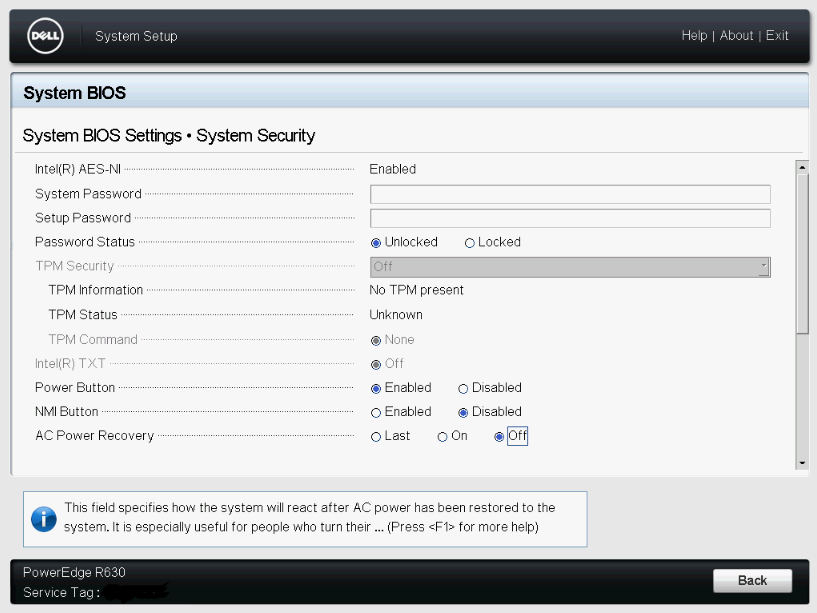
You may use the Dell Lifecycle Controller to configure the AC Power Recovery setting for a Dell PowerEdge R630 server. While the server is booting up press F2 then navigate to System BIOS > System Security > AC Power Recovery > Off.
You may add the following line to the virtual machine’s configuration file (.vmx) to provide a (5) second delay from the initial post screen to enter the virtual machines BIOS settings.
bios.bootDelay = “5000”
Enjoy!